Constant Contact · 2018
The Sales Success Map
How a light design task became a self-directed information architecture overhaul that changed how a global sales team works.
A design task that kept growing
I was brought in to do a light visual lift: clean up a PowerPoint template, add title pages, tighten the typography. The content was owned by the channel enablement team and the tool was intended to become a printed binder that sales reps could tab through during live calls.
But the document kept growing. By the time it crossed 100 pages, the cracks were obvious. Reps were printing new pages and manually inserting them into physical binders every time content changed. During a live sales call, flipping through a hundred printed pages to find the right objection handler wasn't just slow. It was embarrassing for the rep and damaging to the sale.
Nobody had formally identified this as a design problem. My manager mentioned that many reps had quietly abandoned the binder entirely. That hurt consistency, conversion, and new hire ramp time.
The sales floor was twenty feet from my desk.
That proximity turned out to be one of the most valuable research tools I had.
I sat in on the sales floor directly on several occasions to watch how reps actually worked during live calls. What I observed was different from what the binder assumed. Reps weren't methodically paging through a reference document. They were under time pressure, often mid-conversation, needing to find a specific objection handler or product detail in seconds. The linear structure of the binder assumed a reader with time to browse. The actual use case required something closer to a lookup tool.
I also talked regularly with sales reps who sat nearby, and gathered more structured feedback through my channel enablement teammates who were in daily contact with the floor. The consistent message was the same: the binder was too slow and too hard to maintain, so people had stopped using it entirely and were taking calls cold.
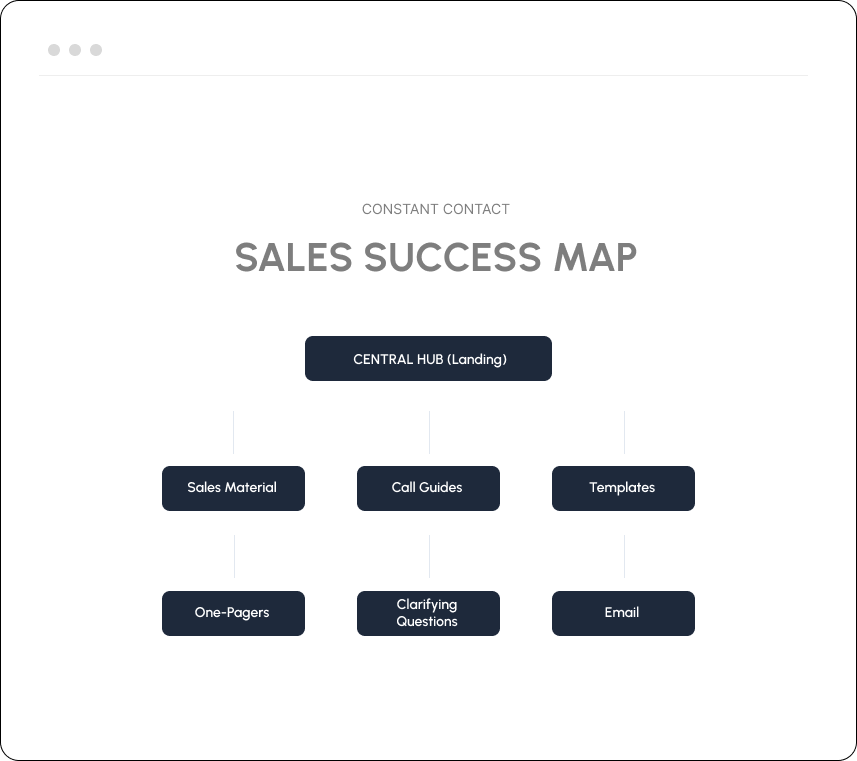
That gap between what the tool assumed and how people actually worked became the design brief. The branching IA wasn't just a structural preference. It came directly from watching how reps moved through a call.
Scenarios, not sequences. The home page organized by sales situation rather than document chapter reflected how a rep actually thinks mid-call: I'm talking to a small business owner who just raised a pricing objection, not I need chapter four.
After launch, we continued to iterate the structure based on feedback from the enablement team as real-world usage patterns emerged. The system evolved alongside the sales team's actual workflows rather than staying fixed at the initial design.
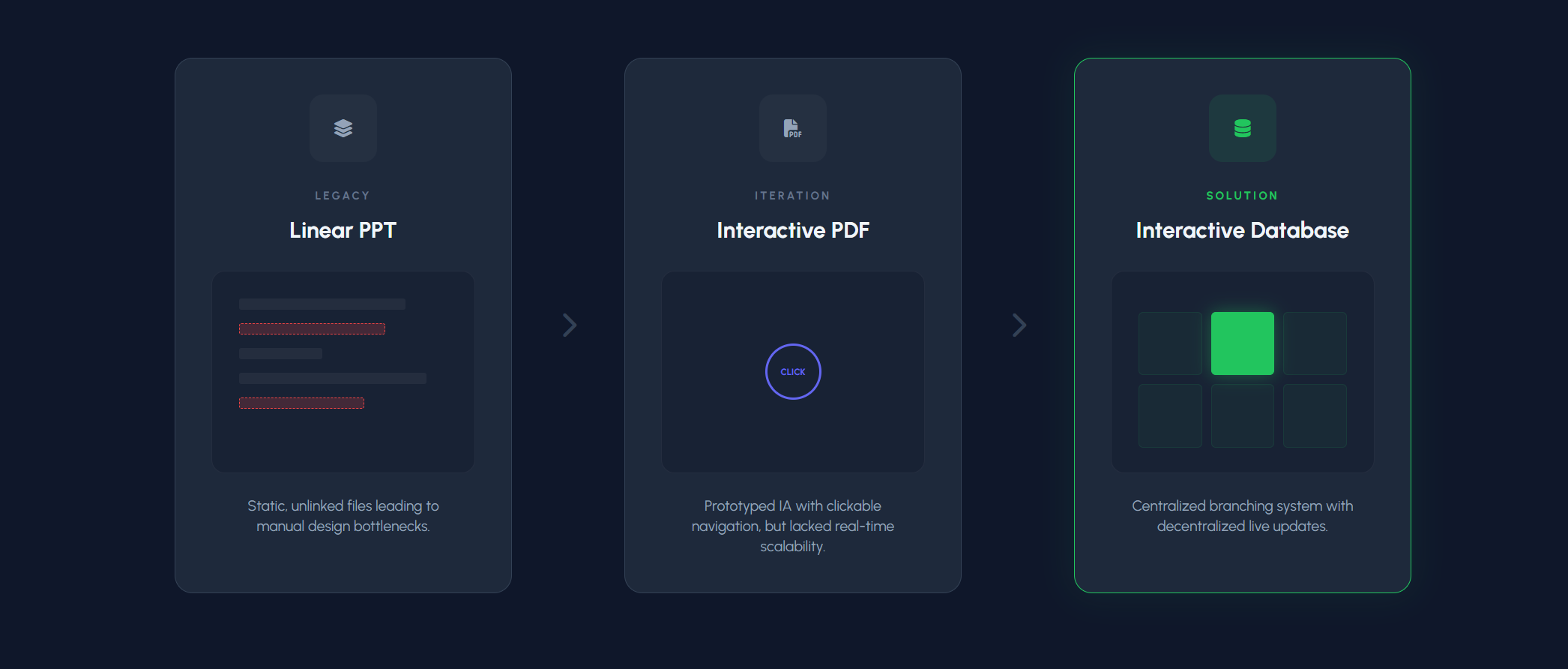
From linear to branching
The solution came in three distinct phases, each one exposing the limitations of the last.
Infrastructure that outlasted the project
What began as a PowerPoint cleanup became the foundational sales infrastructure for a 200+ person global workforce. The repository is likely still in use today, years after the project formally ended. A system that survives leadership changes, team turnover, and product evolution was built right.
The Sales Success Map transformed how the team worked — moving from a fragmented collection of files to a single source of truth for objection handlers, product guides, and onboarding material across the sales organization.
When I joined Wayfair years later, their global internal knowledge repositories used the same branching information architecture I had developed at Constant Contact. Finding it there confirmed that what felt like a scrappy internal solution was actually an enterprise-grade pattern, and one that scales.